Why Convert Improper Fractions to Mixed Numbers?
Mixed numbers often provide a clearer understanding of quantity because they separate the whole part from the fractional part. This is especially helpful in:
- Measurement (e.g., length, cooking, time)
- Comparing amounts more easily
- Real-world interpretation of values
- Understanding how many whole groups a fraction contains
For example, saying "2 1/4 meters" is usually more intuitive than "9/4 meters."
How to Convert Improper Fractions to Mixed Numbers
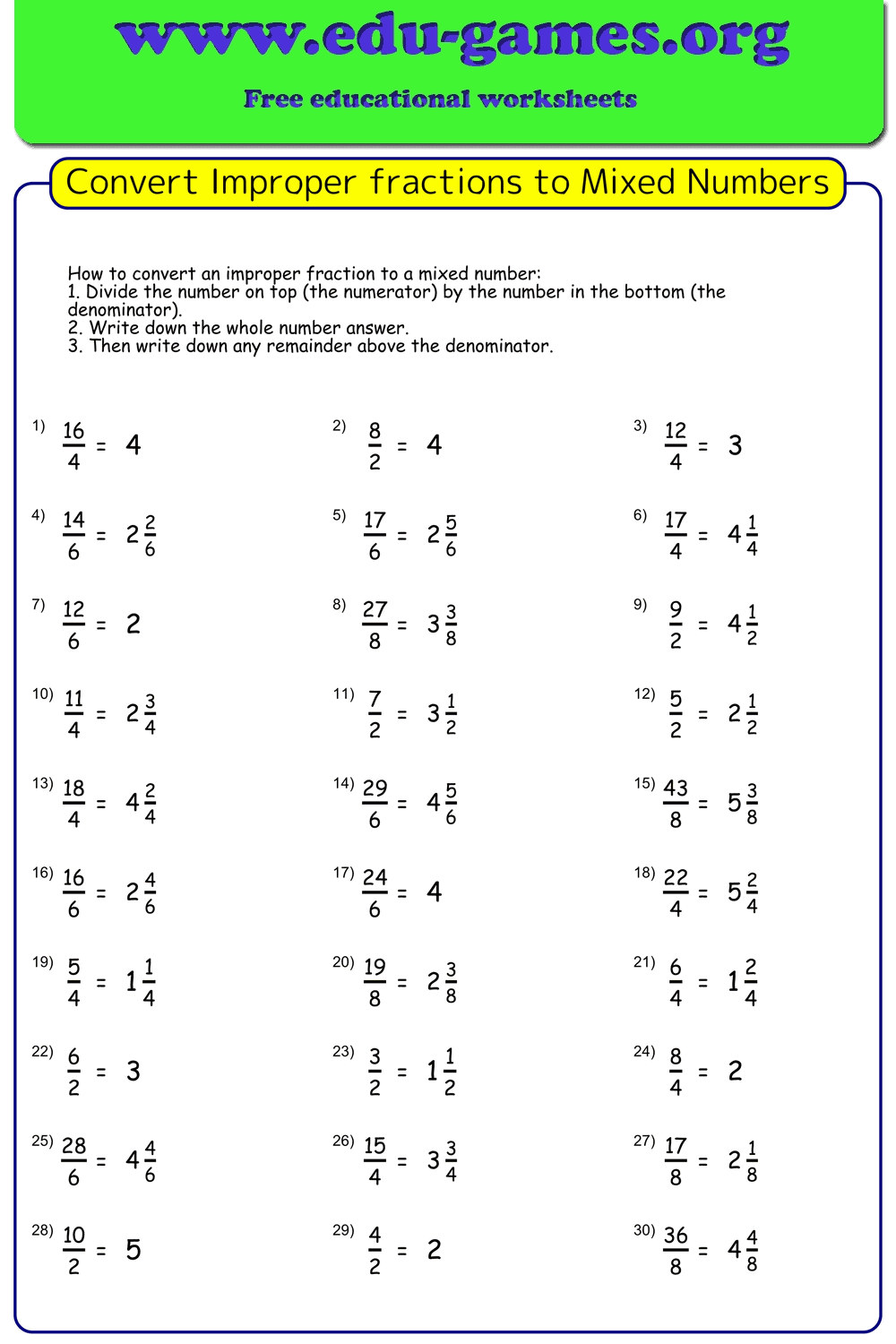
Follow these simple steps to convert any improper fraction into a mixed number:
- Divide the numerator by the denominator.
- The quotient becomes the whole number part.
- The remainder becomes the numerator of the fractional part.
- The denominator stays the same.
- Simplify the fractional part if possible.
Example: Convert 9/4 to a mixed number
Step 1: Divide → 9 ÷ 4 = 2 remainder 1
Step 2: Whole number = 2
Step 3: Fraction part = 1/4
Final Answer: 2 1/4
Improper Fractions to Mixed Numbers — Frequently Asked Questions
What is an improper fraction?
An improper fraction is a fraction where the numerator is greater than or equal to the denominator. Examples include 7/3, 12/5, or 4/4. These fractions represent quantities equal to or greater than one whole.What is a mixed number?
A mixed number combines a whole number and a proper fraction, such as 2 1/3. It is another way to express the value of an improper fraction.Why convert improper fractions to mixed numbers?
Mixed numbers are often easier to interpret in real-life situations because they clearly show how many whole units and how many fractional parts there are. This makes them useful for measurement, comparing quantities, and visualizing amounts. For example, saying 2 1/4 meters is usually more intuitive than 9/4 meters.Can I customize the denominators?
Yes. The Denominators range controls which denominators appear on the worksheet. You can enter: specific denominators separated by commas (e.g. 2,3,5), a continuous range using a dash (e.g. 2-5), or a mix of both (e.g. 1,3,5-7). After typing a value you can still click a difficulty shortcut to replace it, or edit it manually.How do the Easy/Medium/Hard shortcut buttons work?
Each shortcut inserts a preset set of denominators into the Denominators range field — for example, Easy inserts 2,4,6,8. They are only a convenience; you can edit the field afterwards to fine-tune the problems.Are these worksheets free?
Yes. All worksheets generated on edu-games.org are free for non-commercial, classroom, and personal use, as described in the Terms of Use at the bottom of the page.Who is this tool for?
This generator is designed for teachers, tutors, parents, and students in upper elementary or early middle school, especially grades 4–6 or equivalent levels.Is it permitted to redistribute the worksheets?
Worksheets are free for non-commercial and closed educational use only. Public redistribution or selling of the worksheets is not allowed — please refer to the Terms of Use section on the page.Share these free improper fractions worksheets with your friends