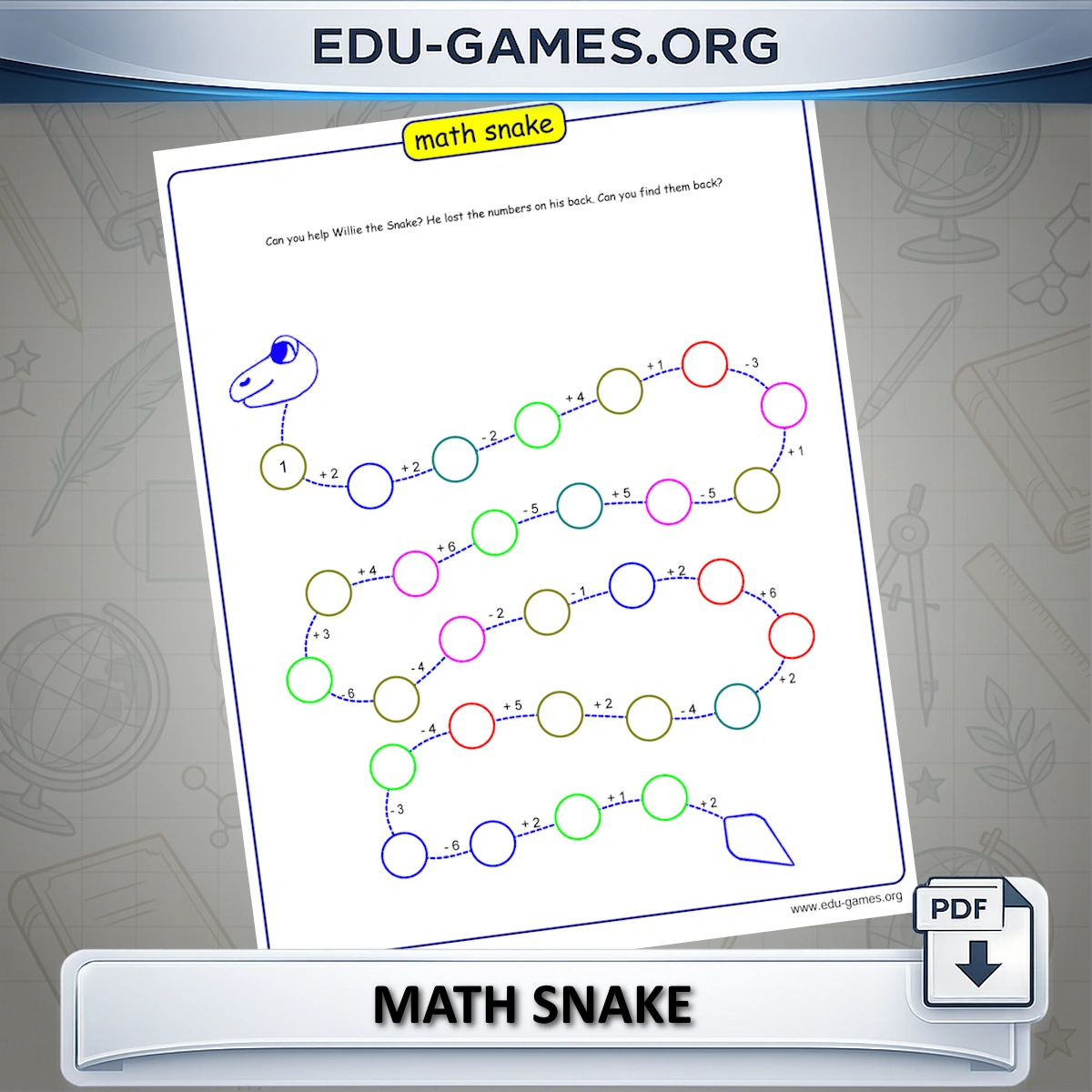
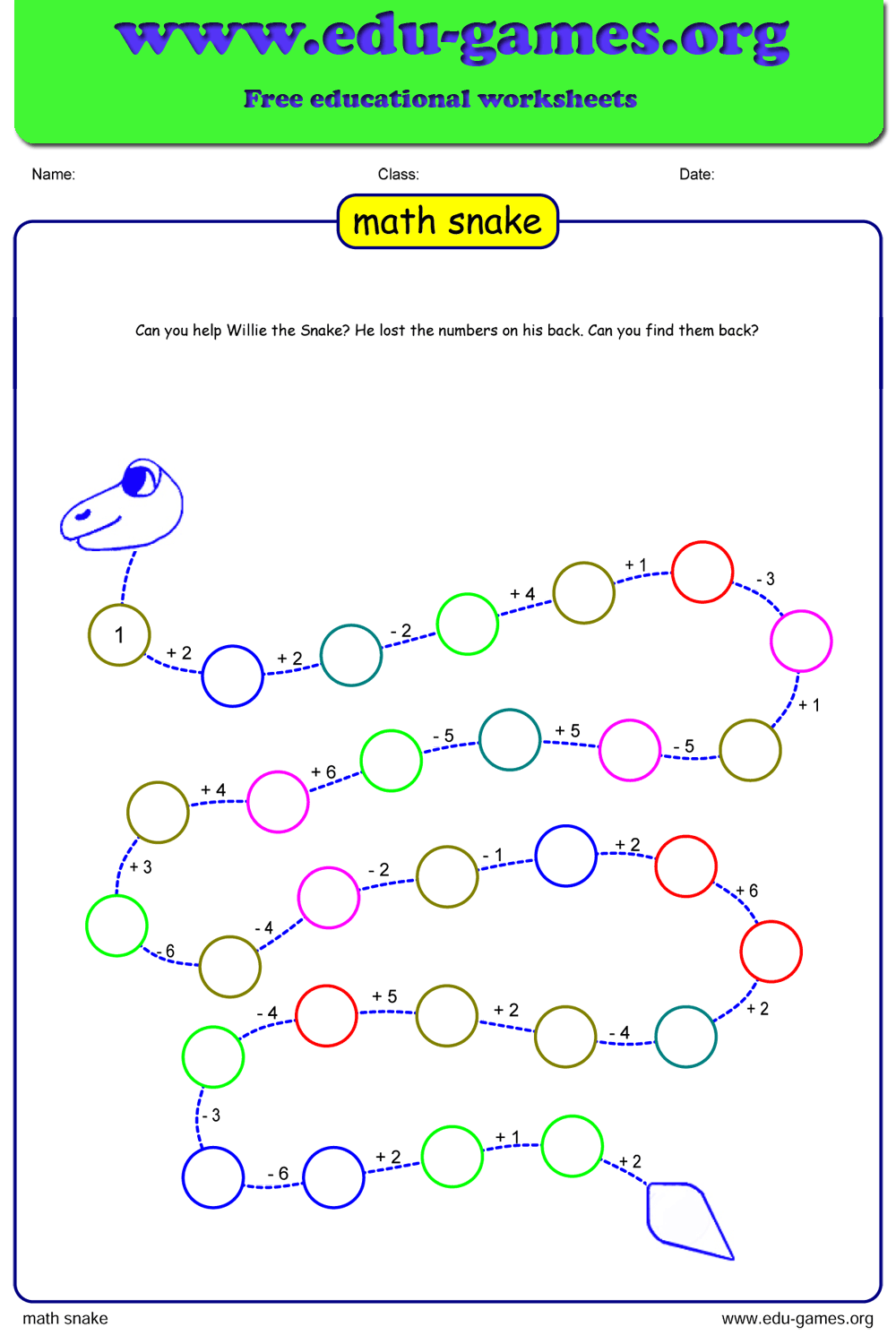
The Math Snake worksheet puzzle is a fun math practice tool. A number is printed on the first part of the snake's body. On the path to the next body part you will see an operator and an operand — apply them to get the next number, and continue until the end of the snake.
By default the puzzle only uses addition and subtraction. Tick Use Multiply and Divide to add those operators. Change Max Result and Max Operands to control the difficulty. Every puzzle is generated fresh, so you can create an unlimited number of different worksheets.
Create Your Math Snake Worksheet
Why Use a Math Snake Worksheet?
The math snake is a sequential number puzzle: every answer immediately becomes the starting value for the next operation, so students must get each step right before moving on. That chain structure makes it far more demanding than a standard drill sheet — and far more engaging than a list of isolated sums.
- Builds number fluency: Repeated mental arithmetic along the snake's 30 steps reinforces addition, subtraction, and — when enabled — multiplication and division simultaneously.
- Grades 2–6 in one tool: Set Max Result to 20 for a gentle snake math game suitable for grade 2; raise it to 100 and add all four operators for a challenging maths snake for grade 5 or 6.
- Solves the "snake counting problem" visually: The winding path and numbered circles give students a clear spatial model of a running total — ideal for learners who struggle with column arithmetic.
- Infinite variety, zero prep: Every snake math puzzle is generated fresh. Create a new number snake worksheet in seconds, any time you need one.
- Printable PDF in one click: Download a classroom-ready math snake game PDF directly — no account, no subscription.
How to Create a Math Snake Puzzle
- Set Max Result — this caps the highest number that can appear on any body segment. Keep it at 20–50 for younger students; raise it to 100 for a harder snake math game.
- Set Max Operands — this limits how large each individual + or − value (or × or ÷ factor) can be between segments.
- Choose your operators — by default the maths snake uses only addition and subtraction. Tick Use Multiply and Divide to add all four operations.
- Click "Create New Math Snake Puzzle" — the generator instantly builds a 31-segment number snake where every step stays within your chosen limits.
- Preview the solution — click Show Solution to reveal the missing numbers and check the puzzle before printing.
- Download as PDF — click Download Math Snake as PDF to get a print-ready worksheet. Each time you click Create you get a different snake, so you can print a full class set of unique puzzles.
Share the Math Snake Worksheet Maker with your friends
You Also Might Like:
- Browse our full library of printable math worksheets and puzzle generators for every grade level.
- Students solve math problems to find the path through the maze — another sequential arithmetic challenge for print.
- Printable addition drills and puzzle worksheets for grades 1–6, from single-digit sums to multi-digit column addition.