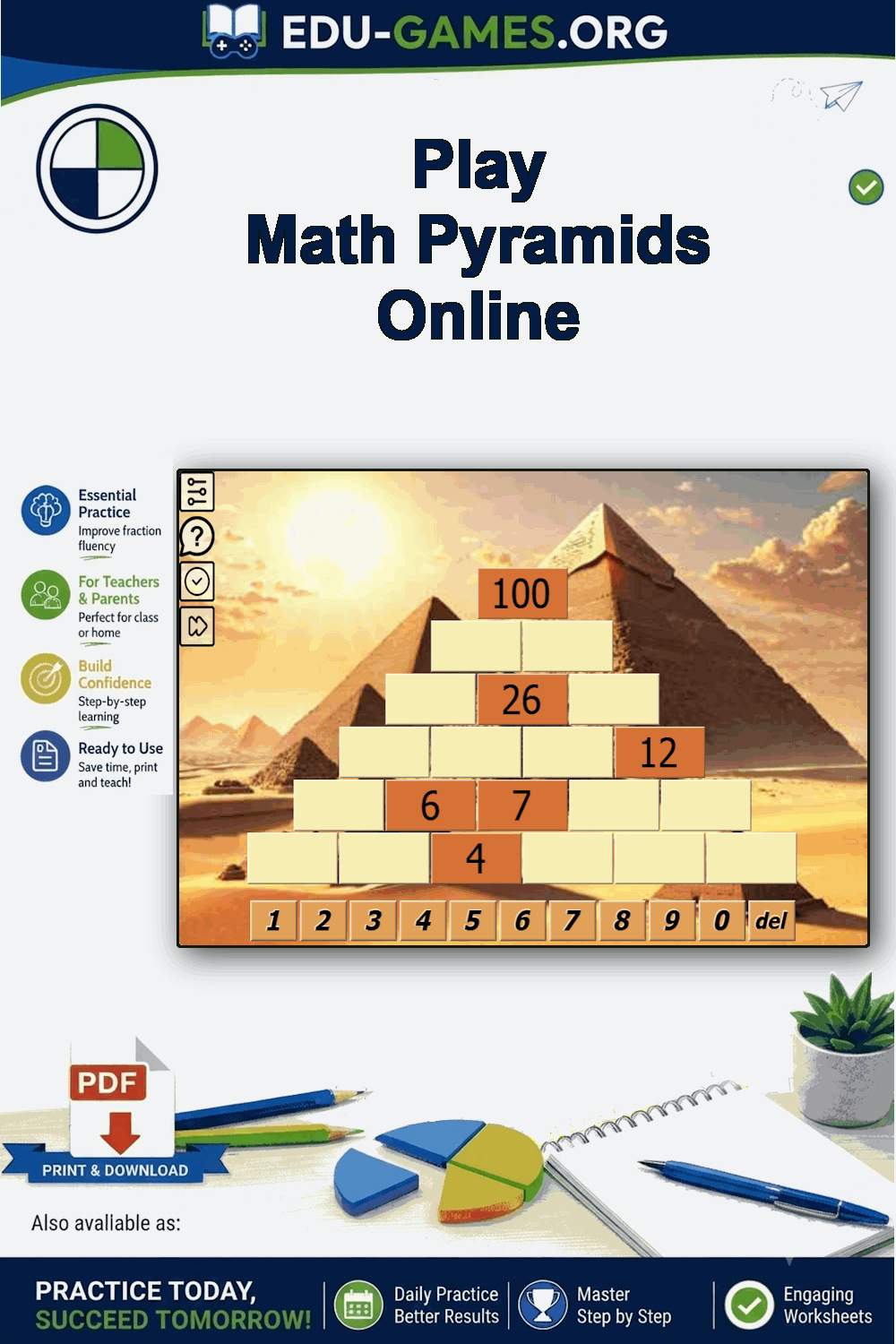
How to Play Math Pyramid
Start and Choose a Level
Click anywhere on the pyramid to start the game. A level menu appears — select Easy (numbers 1–50), Normal (51–100), or Hard (101–1000). The pyramid loads with some bricks already filled in and the rest left blank for you to complete.
The One Rule
Every brick contains the sum of the two bricks directly below it. That is the only rule. If brick A is above bricks B and C: A = B + C. Rearranged: B = A − C and C = A − B. You can work both upward from known base values and downward from a known top value.
Fill in the Bricks
Click an empty brick to select it, then type the number you think belongs there. Working from the bottom rows upward is usually easiest — lower bricks give you the values you need for the rows above. If a row has two known values and one unknown, the subtraction rule resolves it immediately.
Check and Finish
When you are confident, click Check. The game highlights any incorrect bricks — but you can use the check button only once per puzzle, so wait until you are ready. When the pyramid is fully and correctly filled, a completion message appears. Click Next to load a new randomly generated pyramid.
Why Math Pyramid Builds Arithmetic Skills
Addition and Subtraction in Every Puzzle
Filling in the pyramid requires both addition (building upward from two known bricks) and subtraction (finding a missing brick when the one above and a neighbour are known). One puzzle exercises both operations repeatedly, making it more demanding than a single-operation drill without adding any new rules to learn.
Logical Deduction, Not Just Calculation
Because every brick depends on the two beneath it, one wrong number ripples upward and makes higher bricks impossible to complete correctly. Students quickly learn to double-check each entry before moving on and to work systematically through the pyramid — essential reasoning habits that extend well beyond arithmetic.
Three Levels Cover the Whole Class
Easy keeps all numbers small enough for students who are still building mental arithmetic confidence. Normal and Hard introduce larger totals suitable for older students who need a genuine challenge. Switching levels takes one click — no new game, no new rules, just bigger numbers.
Unlimited Puzzles, Instant Replay
Every pyramid is randomly generated, so no two games are the same. There is no sign-in, no installation, and no limit on how many puzzles you can play. Click Next at the end of each puzzle to immediately load a fresh one — ideal for warm-up exercises, early finishers, or homework.
Frequently Asked Questions — Math Pyramid
What is the rule for completing a math pyramid?
Every brick holds the sum of the two bricks directly below it. This applies to every row except the bottom row, which contains the base values. If brick A sits above bricks B and C, then A = B + C. Rearranged: B = A − C and C = A − B — so you can also work downward if the top value is known.What is the difference between Easy, Normal, and Hard difficulty?
The difficulty levels control the range of numbers used to build the pyramid. Easy generates bottom-row values from 1 to 50, Normal from 51 to 100, and Hard from 101 to 1000. The shape and structure of the pyramid is identical at every level — only the size of the numbers increases, making mental arithmetic progressively harder.How many times can I check for errors in one puzzle?
You can check for errors only once per pyramid. When you press the check button the game highlights any incorrect bricks immediately. You can still correct those bricks after the check, but the check button cannot be used again on the same puzzle. Click "Next" to load a new pyramid.What happens when all bricks are filled in correctly?
When you complete the pyramid correctly, the game displays a congratulations message and the bricks lock — no further changes can be made. Press the "Next" button to load a new randomly generated pyramid at the same difficulty level.Share these free printable sudoku generators with your friends