Word Shake is a classroom-friendly Boggle-style board generator that helps teachers turn vocabulary practice into an engaging word discovery game. Instead of using random letter dice, this tool allows you to create custom word puzzles based on your own vocabulary lists, making it perfect for spelling units, language lessons, and literacy centers.
Create Your Word Shake Board
Membership is free.
Word Shake:
Boggle-Style Board Generator & Puzzle Maker with Built-in Solver
What is Word Shake
Word Shake is a Boggle-style word game that turns any vocabulary list into a hands-on classroom challenge. The rules are simple: find as many words as you can by connecting letters across the grid — side to side, up and down, or diagonally. The longer the word, the more points you score. A Year 5 teacher, for example, might load a 4x4 board with a spelling unit on weather vocabulary — words like 'frost', 'storm', and 'cloud' — and watch students discover dozens of bonus words they never expected to find. It's the kind of activity that feels like a game but quietly does the work of a spelling test.
Customize Your Board Grid:
Tailor the challenge to your liking by adjusting the grid size — the number of dice used in the board. Opt for a maximum grid size of 5 x 5 for a heightened level of difficulty, or choose a smaller 3 x 3 grid for a simpler yet equally enjoyable experience. The 5 x 5 option offers a significantly more challenging board, providing ample opportunities to discover numerous words, including longer ones.
Provide Your Own Vocabulary
This version includes special features you can expect from Edu-Games.org. You can create a Word Shake board using your own custom word list. The board maker attempts to fit all your words into the puzzle. An extra option is that you can give a topic. If a word related to your topic is found, it will score double points.
If you don't enter any words, then the program will generate a random board.
The Word Shake Solver
The solver will search through the grid to find all the words. All words are checked against the website’s dictionary.
Download the PDF
When you provide custom words, the generated PDF will include:
- One page with the board
- One page with all possible words found
- An additional support page with hints for the custom words
How to Use the Board Generator
Follow these simple steps to create your custom Word Shake board:
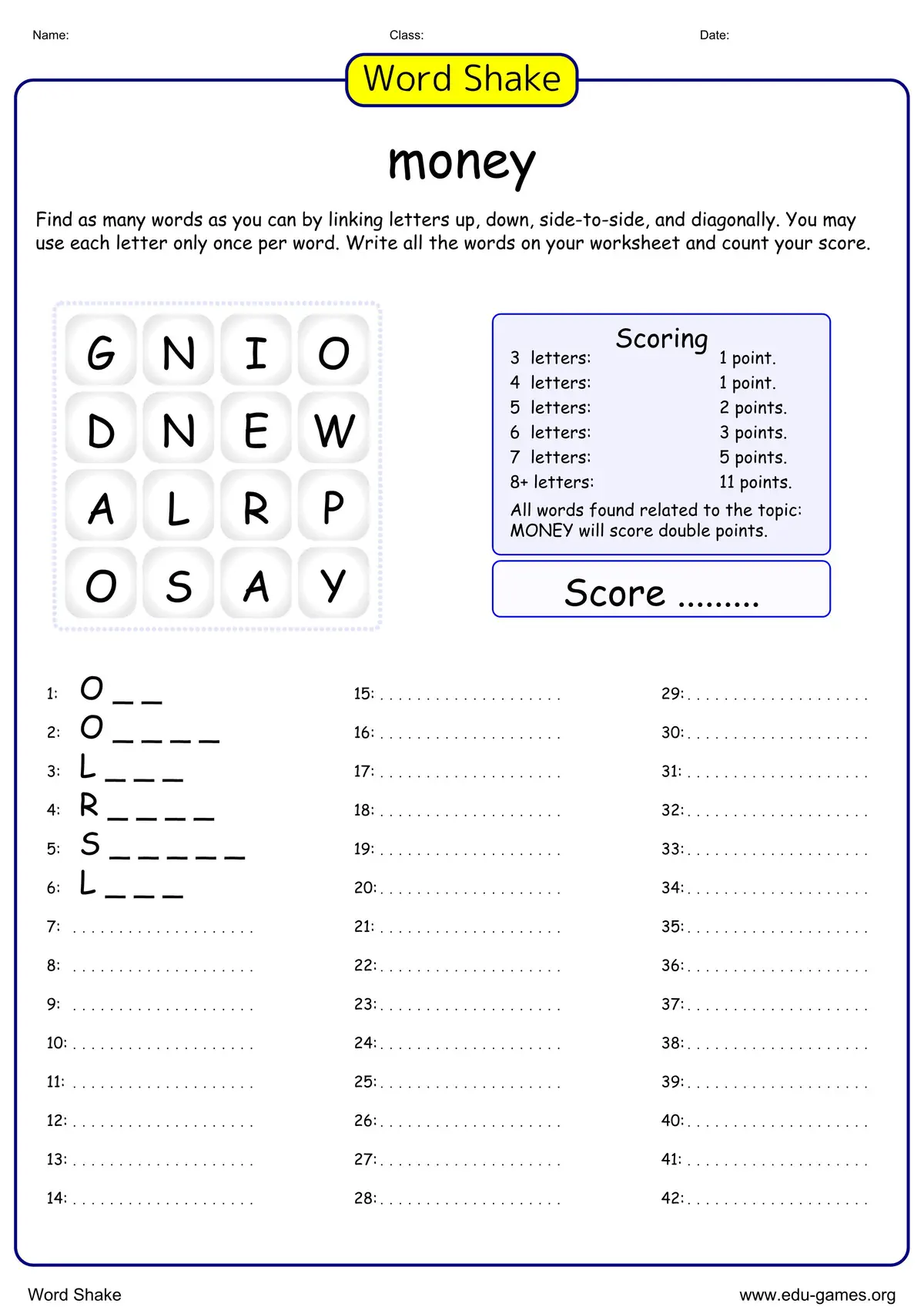
- Enter a Title: Give your Word Shake worksheet a name so students know what they are working on.
- Choose Grid Size: Select 3x3 for beginners, 4x4 for the classic experience, or 5x5 for a real challenge.
- Add Your Vocabulary: Type in words you want to include. Our generator will try to fit them into the grid for you!
- Download as PDF: Click the "Create" button to generate a print-ready PDF, including a solution page for easy grading.
Why Use a Boggle-Style Board Generator in the Classroom?
Word Shake is more than just a word game—it’s a highly effective classroom activity that supports language development and literacy skills. Teachers can use this board maker to help students:
- Expand Vocabulary: Discover and practice new words while searching the Word Shake grid.
- Improve Spelling: Reinforce correct spelling in an engaging, interactive way.
- Enhance Critical Thinking: Develop pattern recognition, problem-solving, and strategic thinking skills.
- Encourage Collaboration: Play individually or in groups to promote teamwork and communication.
- Boost Engagement: Turn language practice into a fun, motivating activity that keeps students focused and learning.
By incorporating these boards into your lessons, you provide students with a dynamic, educational game that strengthens vocabulary, spelling, and language arts skills.