Multiplication Squares Worksheet Generator
Printable multiplication squares puzzles — choose a 2×2 or 3×3 grid and combine multiplication facts with logical deduction. Free PDF with answer key, no login required.
Trusted by thousands of teachers · Instant PDF download · No account required
Create your Multiplication Squares Puzzle
What Are Multiplication Squares?
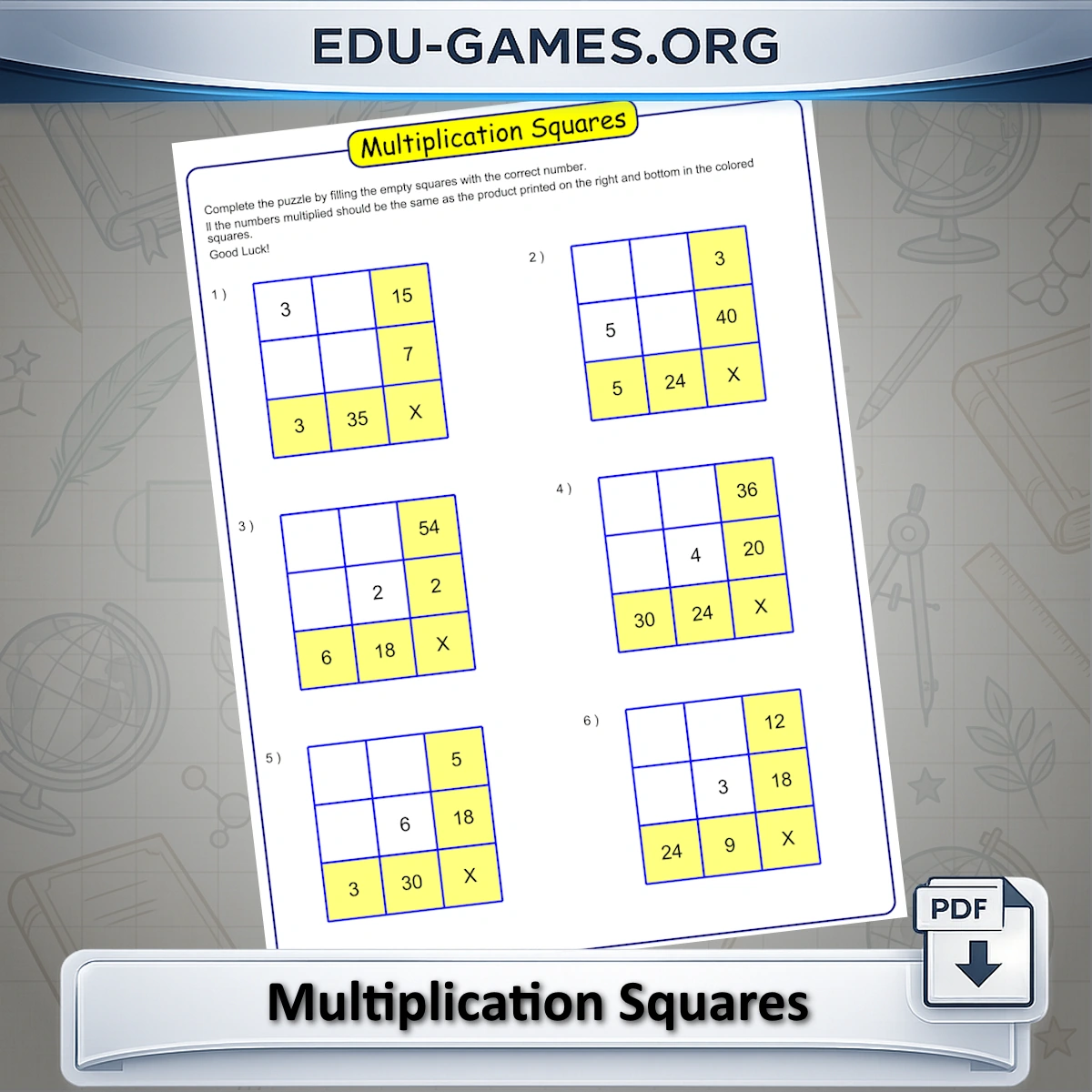
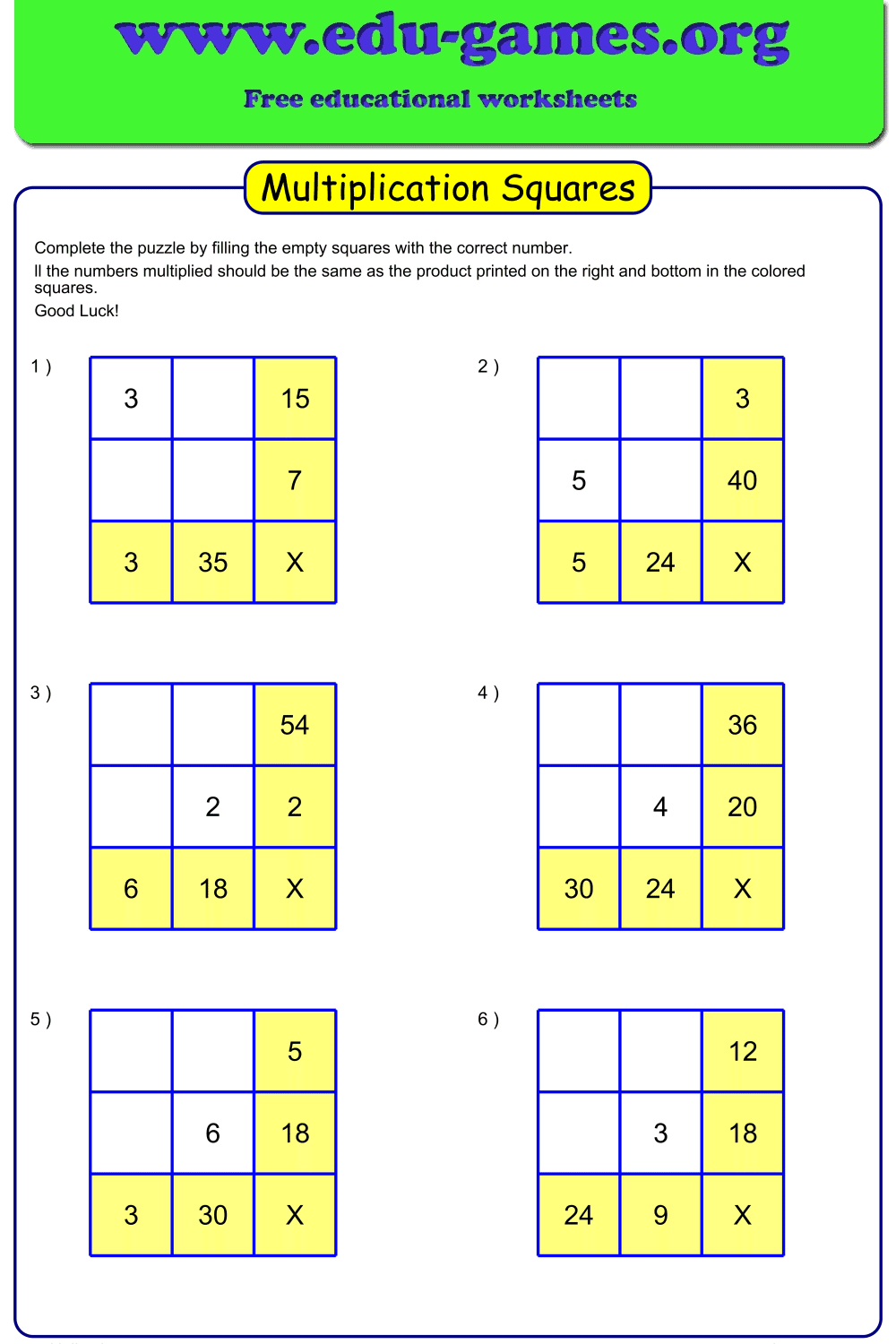
Multiplication squares are a grid-based puzzle that combines multiplication facts with logical deduction. Each puzzle is a 2×2 or 3×3 grid of factors, with the product of each row and column shown in a highlighted cell along the right edge and bottom of the grid. Students must figure out the missing factors so that every row and column multiplies to the product shown.
Unlike a plain multiplication drill, the puzzle format means students can't just recall a memorized fact — they need to combine known products with multiplication and division to deduce each missing number, which is why this generator works well for Grades 3 through 6.
How to Use the Generator
- Choose a Grid size — 2×2 for an introduction, or 3×3 for a greater challenge.
- Choose how many answers are shown as starting clues.
- Optionally edit or clear the Instructions text before printing.
- Click Create to preview six new puzzles on the canvas.
- Click Download to save a print-ready PDF. Tick "Solution page" to include a fully completed answer key.
Why Use This Multiplication Squares Generator?
- Two difficulty levels in one tool — 2×2 grids for an introduction, 3×3 grids for a real logical-deduction challenge
- Combines multiplication with logic — students must deduce missing factors from row and column products, not just recall facts
- Six puzzles per worksheet — enough for a full practice page or a math center activity
- Adjustable starting clues — show more answers for an easier entry point, or none for a full challenge
- Free PDF with answer key — download and print instantly, no account needed
FAQ — Multiplication Squares Worksheet Generator
What is the difference between a 2×2 and a 3×3 grid?
A 2×2 grid needs 2 factors to fill in per row and column, making it suitable for an introduction to the puzzle. A 3×3 grid needs 3 factors per row and column, which means more multiplication facts to work out and more logical deduction before the grid can be completed.What does "Show nr of answers in puzzle" control?
It sets how many of the factor cells are already filled in as starting clues. With 0 shown, students must work out every factor purely from the row and column products. Showing 1 (on a 2×2 grid) or 3–4 (on a 3×3 grid) gives a head start, which is useful when first introducing the puzzle format.How do I solve a multiplication square?
The yellow cells on the right and bottom of the grid show the product of the numbers in that row or column. Multiply the known factors together, then use the row and column products to work backwards and find any missing factors — for example, if a row's product is 24 and one factor is already given as 4, the missing factor must be 6.Do the numbers get bigger on the 3×3 grid?
No — every factor in both the 2×2 and 3×3 grids is a single digit from 1 to 9. The 3×3 grid is harder because it has more unknown factors and larger row/column products to work backwards from (up to 9×9×9 = 729), not because the individual numbers grow.Could I just guess a missing factor instead of calculating it?
The generator deliberately avoids certain mirrored factor pairs — for example it won't let the top-right and bottom-left factors end up equal to each other when both could be guessed from symmetry. This means every puzzle has to be solved by working through the multiplication, not by spotting a shortcut pattern.Share the Multiplication Squares Worksheet Generator with your friends
You Also Might Like:
- The same grid-deduction puzzle format, using addition facts instead of multiplication.
- Printable multiplication drill sheets and puzzle worksheets for Grades 2–6, from times tables to multi-digit practice.
- The answer is shown but the addends are hidden — students must work backwards to find the missing numbers.
- Browse all printable math games and puzzle worksheets for Grades 1–6.