Missing Operands Worksheet Generator
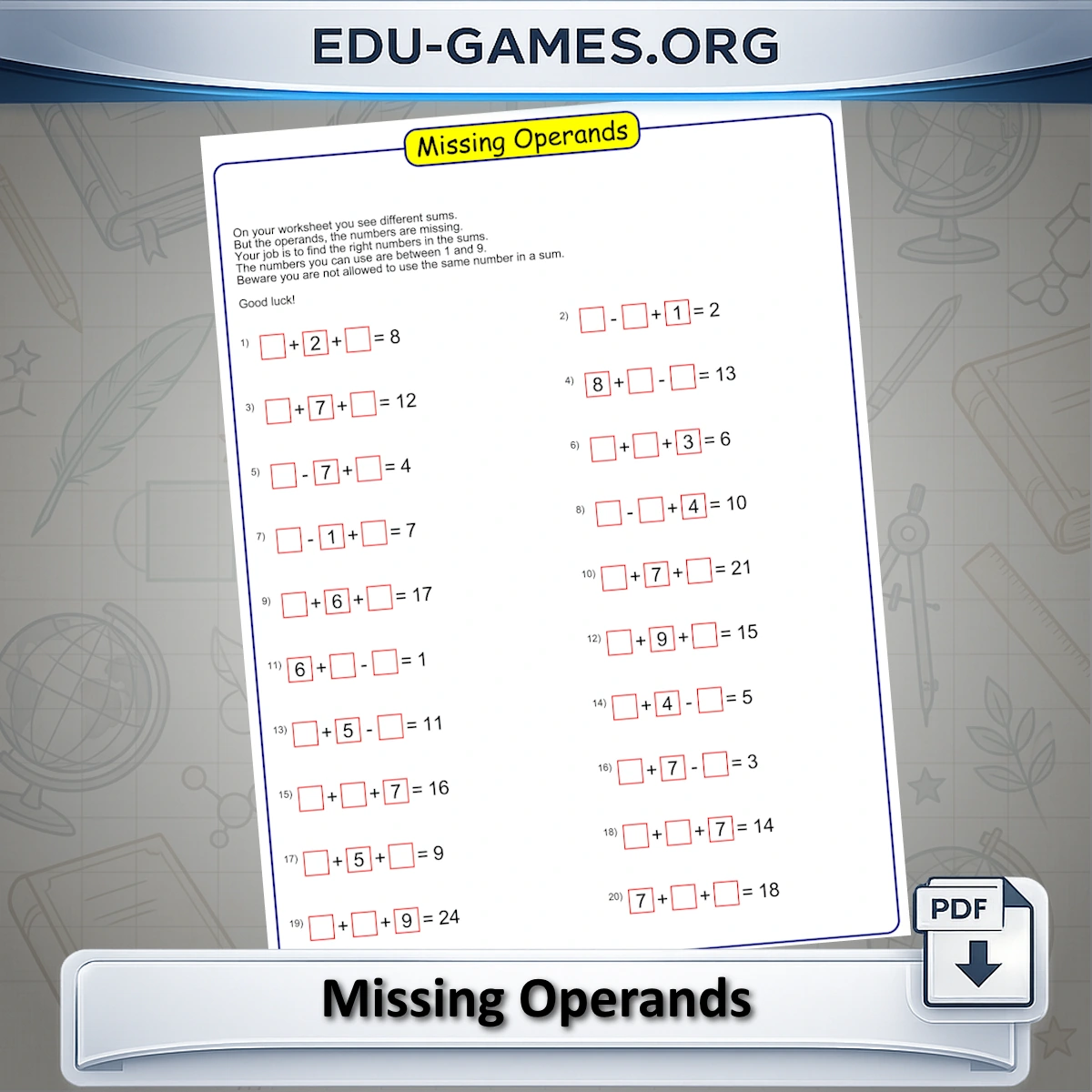
Each sum hides the operands — students must find the correct numbers. Set the difficulty, choose your hint level, and download a unique PDF every time.
Trusted by thousands teachers · Instant PDF download · No account required
Create your Missing Operands Worksheet
What Is a Missing Operands Worksheet?
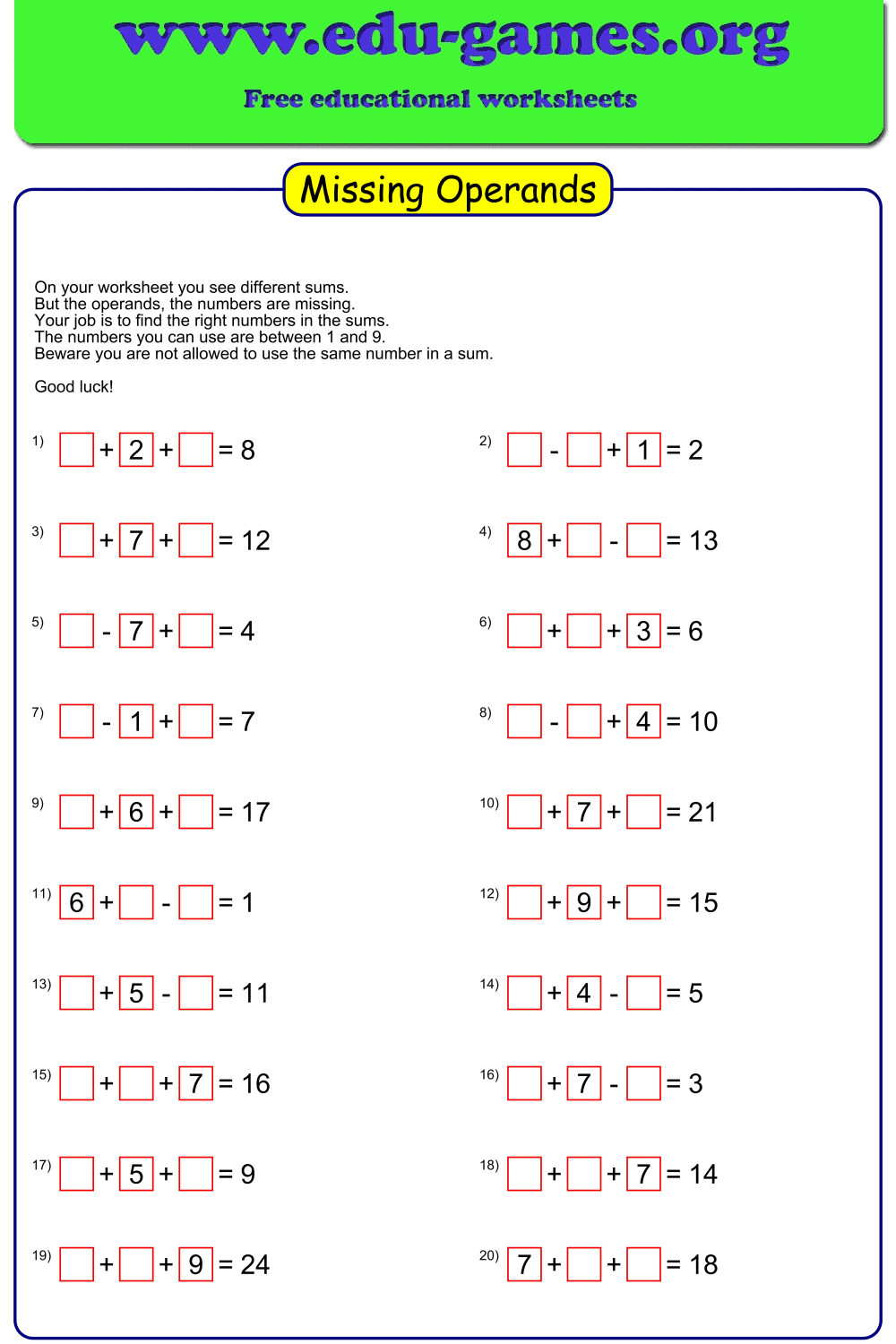
A missing operands worksheet shows arithmetic equations where the numbers — not the result — are hidden. Students see the operators and the final answer, then must work backwards to find which values belong in the blank boxes. This reverses the usual direction of arithmetic and builds the inverse reasoning that underpins algebra.
This generator supports all four operations. Keeping only addition and subtraction gives a gentle introduction from Grade 1. Adding multiplication and division produces significantly harder puzzles for Grades 4–6, where students must reason about factor pairs and products rather than just number bonds.
How to Use the Generator
- Select the number of problems per page — 10, 20, or 30.
- Choose 2 or 3 operands per equation. Three operands increases difficulty significantly.
- Tick the operators you want: +, −, × and ÷ can all be combined on the same sheet.
- Set how many operand boxes are pre-filled as hints — 0 is the hardest, 2 gives the most support.
- Click Create the Missing Operands puzzle to preview your worksheet.
- Click Download the Missing Operands puzzle to save the PDF, with an optional solution page.
Why Use Missing Operands Worksheets?
- Builds inverse reasoning — students think backwards from result to operands, the core skill behind solving equations
- Covers all four operations — mix addition, subtraction, multiplication and division on one sheet, or focus on a single operator
- Wide difficulty range — 2 or 3 operands, 0–2 hint boxes, any operator combination
- Unlimited unique worksheets — every generation produces a different set of equations, no repeats
- Free and instant — print-ready PDF in seconds, no account needed
FAQ — Missing Operands Worksheet Generator
Can I use all four operators on the same worksheet?
Yes. Tick any combination of Addition (+), Subtraction (−), Multiply (×) and Division (÷) before clicking Create. The generator mixes your chosen operators randomly across all equations on the sheet, so one worksheet can contain all four operations at once.Why is only one × or ÷ allowed per equation with 3 operands?
With 3 operands, two multiplication or division operators in a single equation create too many valid number combinations — the puzzle becomes ambiguous and often unsolvable at elementary level. Limiting it to one keeps every equation uniquely solvable.Will a division equation ever show a decimal or fraction answer?
No. The generator only accepts division equations where the result is a whole number. Any combination that does not divide evenly is discarded and a new one is tried, so students always work with integers regardless of which operators are selected.Does changing the operator checkboxes regenerate the puzzle?
Yes. Ticking or unticking any operator checkbox immediately creates a completely new set of equations using your updated selection. Changing only the number of visible operands does not regenerate — it just redraws which hint boxes are shown on the existing puzzle.Share the Missing Operands Worksheet Maker with your friends
You Also Might Like:
- The reverse challenge — operators are hidden but the numbers are shown. Students must find the correct +, −, ×, or ÷ to complete each equation.
- Generate printable addition drill sheets with customizable number ranges and layouts. Ideal for timed practice and daily warm-ups.
- Printable subtraction practice sheets with customizable difficulty levels for elementary students.
- Printable multiplication drill sheets and puzzle worksheets for Grades 2–6, from times tables to multi-digit practice.
- Printable division practice sheets with adjustable difficulty, from basic facts to long division for Grades 3–6.