Free Printable Subtraction Fraction Worksheets
Generate free printable fraction subtraction worksheets — practice subtracting fractions with like and unlike denominators, mixed numbers, and whole numbers. Customise the difficulty, randomise the problems, and download a PDF instantly. No account needed.
Used by thousands of teachers · Instant PDF download · No account required
These worksheet generators create a fresh set of fraction subtraction problems every time you click — covering like denominators, unlike denominators, mixed numbers, and whole numbers. Set the denominator range, choose the number of problems, and download a print-ready PDF. Each generator targets a specific subtraction type so you can match the worksheet exactly to what your students are practising.
Subtracting Fractions — Worksheet Generators
Subtract Fractions
Grades 4, 5, 6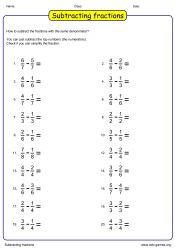
The ultimate subtracting fractions worksheet generator! Create problems with like denominators, unlike denominators, or mixed numbers — all in one tool. Adjust the difficulty with a single click and produce unlimited unique worksheets that are perfectly tailored to your class.
Subtract mixed numbers
Grades 4, 5, 6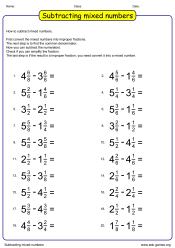
The ultimate multi-step fraction challenge! Students convert mixed numbers to improper fractions, subtract, simplify, and convert the result back — mastering every stage of the process. A thorough and rewarding worksheet that builds complete fluency in mixed number subtraction.
Subtracting Fraction Circles
Grades 4, 5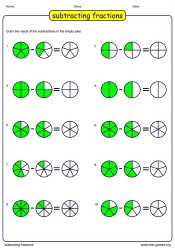
Subtracting fractions has never looked so clear! Visual pie-shaped fraction circles show students exactly what is being taken away, making the concept click much faster. A must-have visual tool for introducing fraction subtraction to younger or struggling learners.
How to Use the Subtraction Fraction Worksheet Generators
Each generator on this page produces a customised subtraction worksheet in seconds. Here is how to get the best results.
1. Choose a Generator
Select the generator that matches the subtraction type you want to practise — like denominators, unlike denominators, mixed numbers, or whole numbers. The name of each generator tells you exactly which case it covers.
2. Set the Difficulty
Use the denominator range controls to set the minimum and maximum denominator values. Smaller ranges (2–6) are appropriate for students just learning the concept; larger ranges (2–12) require more careful LCD calculation and suit more experienced students.
3. Generate the Worksheet
Click the generate button. A new random set of problems is created every time, so you can produce a different worksheet for each student or each lesson without repeating the same problems.
4. Print or Download
Download the worksheet as a PDF and print it directly. The layout fits standard A4 and US letter paper. No account or login is required at any point.
Why Use These Fraction Subtraction Worksheets?
Pre-printed worksheet packs cannot adapt to your students. These generators can — here is why that matters.
Target the Exact Skill
Each generator covers one specific subtraction type. If your class has mastered like-denominator subtraction and is now learning unlike denominators, you can generate precisely that kind of problem — not a mix of everything in a fixed pack. This precision makes practice more efficient and assessment more meaningful.
Controlled Denominator Ranges
Setting the denominator range lets you match the worksheet to your current lesson. A class working with denominators up to 6 needs different practice from a class ready for denominators up to 12. The generators let you set this exactly rather than accepting whatever a pre-printed resource happens to use.
Unlimited Unique Problems
Every click produces a different worksheet with the same settings. You can generate separate worksheets for classwork, homework, and a follow-up quiz — each with a fresh, randomised set of problems. Students never encounter the same worksheet twice, which makes the generators equally useful across the full school year.
Instant, No-Fuss PDF
There is no account to create and no subscription to manage. Open the page, set your options, generate, and download. The whole process takes under a minute from first visit to printed worksheet in hand.
Share these free printable subtraction fraction worksheets with your friends