Free Printable Rullo Puzzle Generator
Generate printable Rullo puzzle worksheets — a cross-out numbers puzzle where every row and column must match its border sum. Choose a 4×4, 5×5, or 6×6 grid and download a free PDF with an answer key.
Used by teachers worldwide · Instant PDF download · No account required
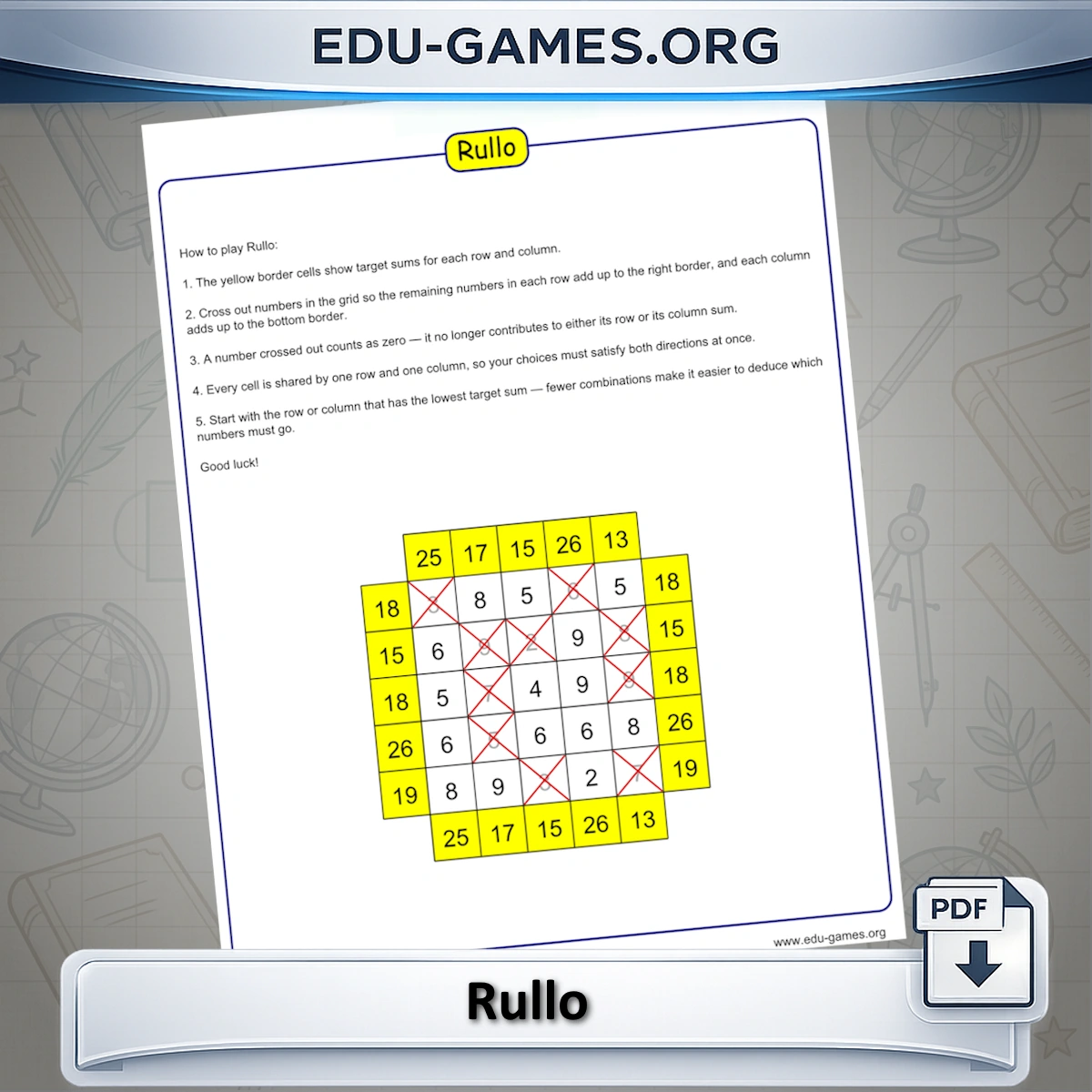
Create your Rullo Puzzle
How to Play Rullo
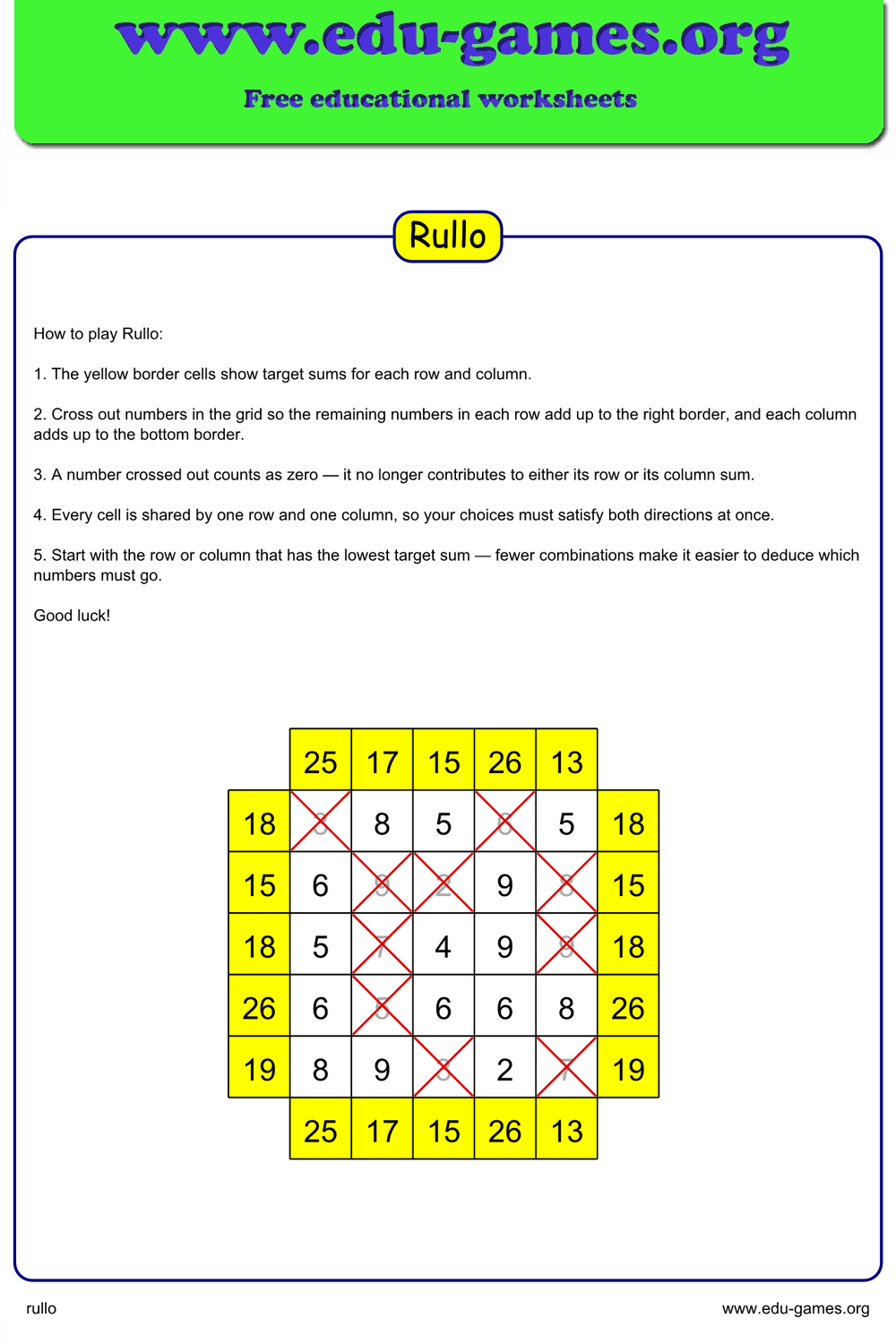
A Rullo puzzle is a number grid logic puzzle: a grid of numbers 1–9 with target sums in the yellow border cells. Your goal is to cross out numbers until what remains in each row and column adds up exactly to its border sum.
Every border sum is achievable — the puzzle is generated by first deciding which numbers to keep, computing the sums, and then presenting the full grid to you. There are no unsolvable puzzles.
The rules
- Each inner cell holds a number from 1 to 9.
- The yellow border cells show the target sum for that row or column.
- Corner cells are blank — they are not part of any sum.
- Cross out numbers until every row sum and every column sum matches its border value.
- A number crossed out is removed from both its row sum and its column sum — every choice must satisfy both directions at once.
Start with the row or column where the border sum is very low — those have the fewest possible combinations and give the fastest deductions. Once a number in a shared cell is forced to stay or go, that decision ripples across the intersecting row and column.
How to Use the Generator
- Choose a Grid size — 4, 5, or 6. Larger grids contain more numbers and require more simultaneous reasoning.
- Set Hidden numbers to control how many cells have to be crossed out — or click Easy, Normal, or Hard to apply a preset for the current grid size.
- A new puzzle is drawn automatically. Click Create for a fresh puzzle at the same settings.
- Click Show Solution to reveal which numbers should remain (the rest are the ones to cross out).
- Click Download to save a PDF. The student sheet shows all numbers; tick Solution page to add an answer key.
Difficulty and Grid Size Guide
Rullo difficulty scales with both the grid size and the number of hidden cells. A larger grid means more cells to reason about and longer chains of row-column interdependencies. More hidden numbers means more cells to cross out and more complex constraint chains to satisfy simultaneously. Use the Easy, Normal, or Hard buttons to apply a preset for the current grid size without typing a value manually.
| Grid | Inner cells | Best for |
|---|---|---|
| 4×4 | 16 | Ages 8 – 10, first introduction to the puzzle format |
| 5×5 | 25 | Grades 4 – 6, classroom activity or homework |
| 6×6 | 36 | Grades 6+, enrichment challenge or puzzle club |
For classroom use, start with the 4×4 or 5×5 grid and work through a puzzle together before assigning individual sheets. Once students understand the row-column constraint, they can tackle the 6×6 independently. Rullo pairs well with Magic Square puzzles for a logic-themed lesson set.
FAQ — Rullo Puzzle Generator
What are the yellow border cells and what do they tell me?
The yellow cells on the top, bottom, left, and right edges each display a target sum. The sum in each row border equals the total of the numbers in that row that should remain after crossing some out. The same applies to each column. Corner cells are empty — they have no border and no sum.How exactly do I solve the puzzle?
Every inner cell contains a number from 1 to 9. Cross out (scratch off) enough numbers in each row and each column so that what remains adds up to the border sum. A crossed-out number is removed from both its row and its column at once, so every choice must satisfy both directions simultaneously. There is always a valid solution because the puzzle is generated by first deciding which numbers to keep, then computing the sums from those numbers.What does "Hidden numbers" control?
It sets how many cells have to be crossed out to solve the puzzle. Every number is always visible in the grid — a higher value means more cells to eliminate and a harder logic challenge. Use the Easy, Normal, or Hard buttons to apply a grid-appropriate preset without typing a value. Tick "Solution page" in the PDF download to get a second page showing which numbers should be crossed out.What grid sizes are available and how do they affect difficulty?
You can choose a 4×4, 5×5, or 6×6 inner grid. A 4×4 grid has 16 cells and is suitable for younger students learning addition. A 5×5 grid (25 cells) is the default and balances challenge with accessibility. A 6×6 grid (36 cells) requires more simultaneous row-and-column reasoning and is appropriate for practised solvers.Can numbers repeat inside the same row or column?
Yes. The inner cells are filled with random integers from 1 to 9 with no uniqueness constraint, so the same digit can appear multiple times in a row or column. This is intentional — the puzzle challenge comes from the row-and-column sum constraints, not from digit placement rules like sudoku.What do the Easy, Normal, and Hard buttons do?
They set "Hidden numbers" to a preset count for the current grid size and immediately generate a new puzzle. For a 4×4 grid: Easy = 4, Normal = 7, Hard = 11. For 5×5: Easy = 5, Normal = 10, Hard = 14. For 6×6: Easy = 7, Normal = 12, Hard = 18. Switching the grid size and then clicking a difficulty button adjusts both settings at once.Share the Rullo Puzzle Generator with your friends
You Also Might Like:
- Fill a grid so every row, column, and diagonal adds up to the same magic sum — a classic number puzzle for all ages.
- Place numbers on both sides of a balance so the totals are equal — a visual addition challenge great for early learners.
- Classic 9×9 sudoku with 5 difficulty levels — each digit 1–9 must appear exactly once in every row, column, and 3×3 box.
- A printable logic puzzle where caged regions must hit a target number using addition, subtraction, multiplication, or division.