Printable Sudoku Puzzle Generator
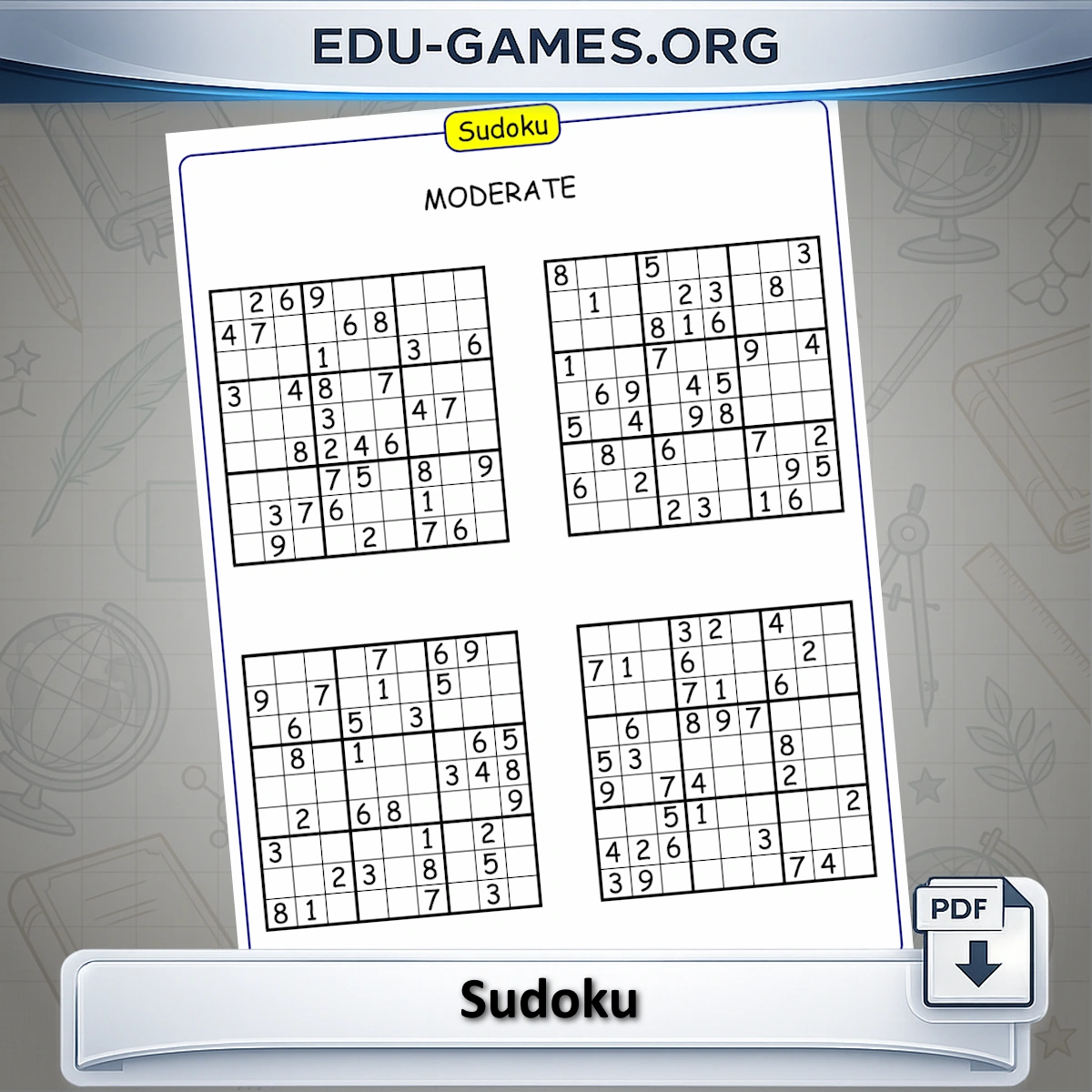
Generate printable sudoku puzzles with a classic 9x9 grid. Pick from 5 difficulty levels, preview the puzzle on screen, then download a free PDF with 4 puzzles and an answer key.
Trusted by thousands of teachers · Instant PDF download · No account required
Create your Sudoku Puzzle
Sudoku Rules — How the Puzzle Works
A classic sudoku puzzle uses a 9×9 grid divided into nine 3×3 boxes (also called regions or blocks). The grid starts with some numbers already filled in — these are your clues. Your goal is to fill every empty cell so that:
- Every row contains the digits 1 to 9 exactly once.
- Every column contains the digits 1 to 9 exactly once.
- Every 3×3 box contains the digits 1 to 9 exactly once.
No arithmetic is involved — the puzzle is solved entirely through logical deduction. You eliminate possibilities until each cell has only one digit that can legally go there. Every puzzle generated here has exactly one valid solution.
How to Use the Generator
- Choose a Level — Very Easy, Easy, Moderate, Hard, or Very Hard.
- A new puzzle appears automatically. Click Create for another puzzle at the same level.
- Click Show Solution to reveal all the numbers and verify the puzzle.
- Click Download to save a PDF with 4 puzzles, with an optional answer key page.
Difficulty Levels Compared
Difficulty is controlled by the number of starting clues — the digits already printed on the grid. Fewer clues means more empty cells and longer chains of deduction.
| Level | Starting clues | Empty cells | Best for |
|---|---|---|---|
| Very Easy | 51 – 53 | 28 – 30 | First-time solvers, young students (Grade 3+) |
| Easy | 37 – 50 | 31 – 44 | Casual players, Grades 4 – 5 classrooms |
| Moderate | 32 – 36 | 45 – 49 | Regular solvers, logic enrichment (Grade 6+) |
| Hard | 27 – 32 | 49 – 54 | Experienced players, gifted learners |
| Very Hard | 20 – 26 | 55 – 61 | Expert solvers, advanced logic challenge |
For classroom use, Very Easy and Easy work well as warm-up activities or early finisher tasks. Moderate suits homework sets where students work independently. Hard and Very Hard are best as enrichment challenges or puzzle club material.
If you enjoy the pure logic of sudoku and want a harder version that adds arithmetic, try Sum Sudoku — it prints sum clues around the grid edges — or Calcudoku, where caged regions must hit a target number using a given operation.
How to Solve a Sudoku — Strategies for Every Level
Every sudoku can be solved with logic alone — no guessing needed on Well-formed puzzles. These three techniques cover the vast majority of cells in Easy through Hard puzzles.
1. Naked Single
Look at an empty cell and list which digits are already present in its row, its column, and its 3×3 box. If only one digit from 1 to 9 is not blocked by any of those three constraints, that digit must go in the cell. This is the most common move in Very Easy and Easy puzzles — scan every empty cell until you find one.
2. Hidden Single
Pick a digit (say, 7) and pick a row. Check every empty cell in that row: can 7 go there without clashing with its column or box? If only one cell in the row can legally hold a 7, place it there — even if that cell could also hold other digits. Repeat the same check for columns and boxes. This technique unlocks most Moderate-level puzzles.
3. Cross-Hatching (Scanning)
For a 3×3 box, pick a digit and look at the rows and columns that already contain it elsewhere on the grid. Those rows and columns are blocked — the digit cannot appear in them again. The remaining empty cells in the box, after eliminating blocked rows and columns, are the only candidates. If exactly one candidate cell survives, place the digit there.
Practical tips
- Start with the most constrained cells — rows, columns, or boxes that are nearly full are easier to complete.
- Use pencil marks — lightly write all candidate digits in a cell's corner, then cross them off as neighbours are filled.
- Work the easiest digit first — whichever digit appears most often on the starting grid leaves fewer empty cells to resolve.
- If you are stuck, lower the difficulty one step; Very Hard puzzles require advanced techniques (pairs, triples, X-wings) beyond the scope of beginner solving.
Once Hard puzzles feel comfortable, the natural next step is a variant that layers arithmetic on top of the same grid logic. Sum Sudoku adds sum clues at the borders of each 3×3 region, while Calcudoku replaces the fixed boxes with irregular cages and target calculations — both reward the same systematic elimination thinking you have already built. For a division-focused twist, try Divide Sudoku.
Print & Paper Size Tips
The generator supports two paper sizes and two puzzle-per-page layouts. The default is 4 puzzles per page in a 2×2 grid — compact and efficient for classroom sets. Switch to 1 puzzle per page for a full-size grid with larger cells, better suited to pencil-marking candidates (Hard/Very Hard levels), accessibility needs, or younger students who need more room to write.
In 1-per-page mode the PDF contains 4 pages (one puzzle each). If you tick "Solution page", one extra page is added at the end with all 4 solved grids printed together.
- A4 (210 × 297 mm) — the default in Europe, Australia, and most of the world. Select this if your printer's default tray is loaded with A4.
- Letter (8.5 × 11 in / 216 × 279 mm) — the standard in the United States and Canada. Select this for North American printers.
Recommended print settings: scale at 100 % (or "actual size") — do not use "fit to page" or "shrink to fit", which can reduce the cells to a size that is hard to write in. Print in portrait orientation. Black and white is fine; no colour ink is needed.
Each cell on a printed A4 worksheet is approximately 13 × 13 mm — large enough for a digit written with a standard pencil. If you are printing for younger students or anyone with larger handwriting, scale up to 110–120 % and trim the margins.
FAQ — Sudoku Puzzle Generator
How many clues does each difficulty level leave on the grid?
Very Easy leaves 51-53 filled numbers, Easy leaves 37-50, Moderate leaves 32-36, Hard leaves 27-32, and Very Hard leaves only 20-26 out of the 81 cells. Fewer starting clues means more logical deduction is needed to complete the puzzle.How many sudoku puzzles are in the downloaded PDF?
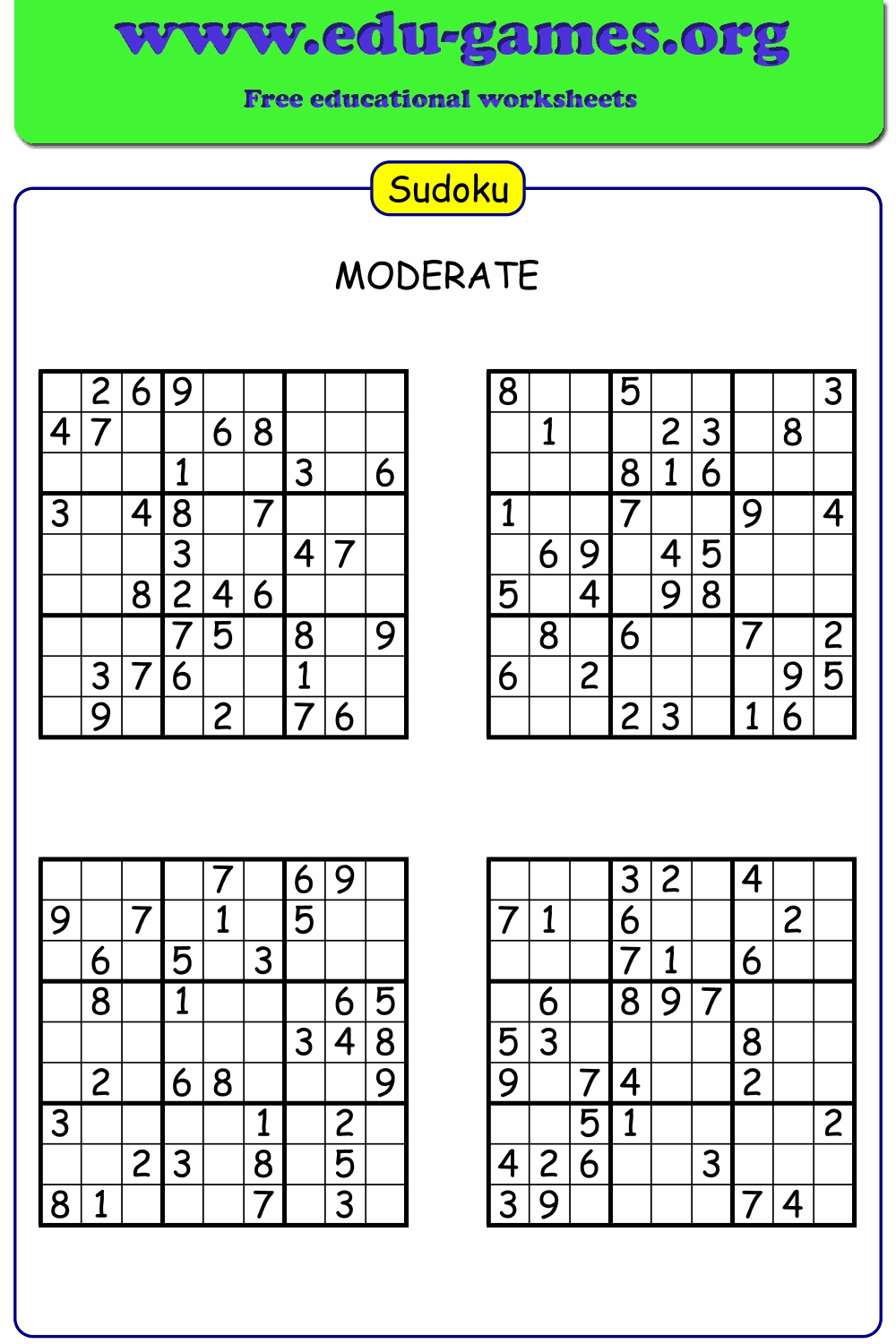
The PDF worksheet contains 4 separate 9x9 sudoku puzzles, all generated at the difficulty level you selected. If you tick "Solution page", a second page is added with the completed answer grids for all 4 puzzles.Is the puzzle shown on screen the same as the puzzles in the PDF?
The first puzzle in the PDF matches the one currently shown on screen. The other 3 puzzles on the worksheet are freshly generated at the same difficulty level, so every download gives you 4 unique puzzles, not 4 copies of the same one.Can I see the solution before printing?
Yes. Click "Show Solution" to reveal every number in the on-screen grid instantly, then click it again to hide the answers and return to the puzzle view.What sudoku techniques should a beginner learn first?
Start with the Naked Single: look at an empty cell and check which digits are already used in its row, column, and 3×3 box — if only one digit from 1–9 is not blocked, place it. Once that feels natural, move to Cross-Hatching: pick a digit and block out the rows and columns where it already appears; if only one cell in a box remains unblocked, that is where it goes. These two techniques are enough to complete all Very Easy and most Easy puzzles.At which difficulty level do I need more than the naked-single technique?
Very Easy and Easy puzzles can almost always be finished using Naked Singles alone. Moderate difficulty introduces cells where no single technique immediately gives you a digit — you need Hidden Singles (a digit that fits only one cell in a row, column, or box) alongside cross-hatching. Hard and Very Hard levels require combining all three basic techniques in longer chains, and some cells may only resolve after other cells are filled first.What paper size should I choose for the PDF download?
Choose A4 (210 × 297 mm) if your printer is loaded with A4 paper — standard in Europe, Australia, and most of the world. Choose Letter (8.5 × 11 in) for printers in the United States or Canada. Both sizes produce the same layout; the only difference is the paper dimensions. Print at 100 % scale ("actual size") so the cells stay large enough to write in comfortably.Can I print one sudoku puzzle per page?
Yes. Set "Puzzles per page" to 1 in the settings panel. The PDF will contain 4 pages — one full-size puzzle per page — with larger cells that leave plenty of room to write candidate digits in the corners. If you tick "Solution page", one extra page is added at the end showing all 4 completed grids together.Share the Sudoku Puzzle Generator with your friends
You Also Might Like:
- Adds an arithmetic twist to classic sudoku — sum clues printed along the borders tell you what three neighbouring digits must add up to.
- A printable logic puzzle where caged regions must hit a target number using addition, subtraction, multiplication, or division.
- A sudoku variant where division clues between adjacent cells give you extra constraints to work with.
- Browse the full collection of free printable math worksheets, puzzle generators, and logic games for all grade levels.