Free Printable Calcudoku — KenKen / Mathdoku Generator
Generate printable calcudoku puzzles — also known as KenKen or Mathdoku — in 6×6 or 9×9 size. Each cage shows an arithmetic target — fill the grid using logic and calculation, then download a free PDF with 4 puzzles and an answer key.
Trusted by thousands of teachers · Instant PDF download · No account required
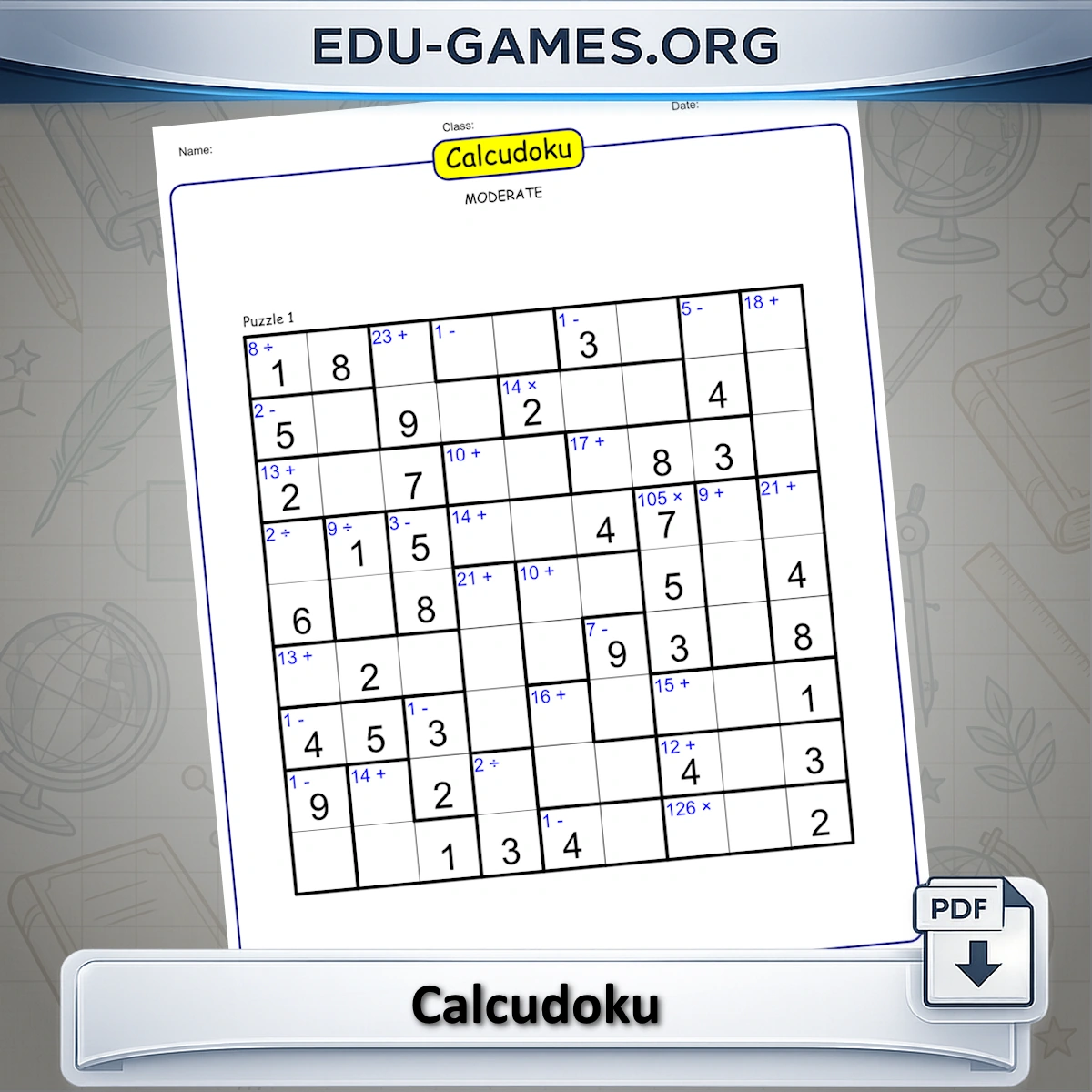
Create your Calcudoku Puzzle
Calcudoku Rules — How the Puzzle Works
Calcudoku — also published commercially as KenKen and Mathdoku — combines the grid logic of sudoku with arithmetic. The puzzle uses a square grid (6×6 or 9×9) divided into cages — irregular groups of cells outlined with a thick border. Each cage displays a target number and an operation (+ − × ÷).
- Every row must contain each digit exactly once.
- Every column must contain each digit exactly once.
- The digits inside each cage must produce the cage's target when the stated operation is applied to them.
- A digit may repeat within a cage — provided it does not appear twice in the same row or column.
For subtraction or division cages with more than two cells, arrange the cage's digits from largest to smallest before applying the operation (e.g., a 1− cage containing 4, 2, 1 reads 4 − 2 − 1 = 1). A cage of a single cell simply shows that cell's value directly.
How to Use the Generator
- Choose a Puzzle size — 6×6 for a shorter puzzle, 9×9 for a full challenge.
- Choose a Level — controls how many cells are pre-filled with their solved value.
- A new puzzle loads automatically. Click Create for a fresh puzzle at the same settings.
- Click Show Solution to reveal all values and verify the puzzle.
- Click Download to save a PDF with 4 puzzles and an optional answer key page.
6×6 vs 9×9 — Which Grid to Choose?
| Grid | Digits used | Cells | Best for |
|---|---|---|---|
| 6×6 | 1 – 6 | 36 | Beginners, younger students (Grade 4+), quick practice |
| 9×9 | 1 – 9 | 81 | Regular solvers, Grades 6+, enrichment and logic clubs |
The 6×6 grid has fewer possible digit combinations per cage, so arithmetic checks resolve faster. The 9×9 demands more sustained reasoning — pairs of cages interact across the larger grid, and division cages become harder to resolve when the digit pool goes up to 9. Both grids share identical rules; only the number range and grid dimensions differ.
If calcudoku feels comfortable and you want a variant with a different twist, try classic Sudoku (no arithmetic) or Sum Sudoku (border sum clues instead of cage operations).
How to Solve Calcudoku — Strategy Tips
1. Resolve single-cell cages first
A cage containing only one cell shows the cell's value directly — write it in immediately. These free cells then constrain the remaining cells in the same row and column.
2. List possible digit sets for each cage
For a 2-cell cage labelled 12× in a 9×9 grid, the pairs that multiply to 12 are: {3,4}, {2,6}, {1,12} — but 12 is out of range, so only {3,4} and {2,6} are valid. Write these pairs in pencil above the cage. As rows and columns fill in, you can eliminate options until only one remains.
3. Use row and column constraints to break ties
Once you know a cage is either {3,4} or {2,6}, check which digits are already placed in the same row or column as the cage cells. If 3 is already in that row, the {3,4} option is eliminated and {2,6} must be correct.
4. Watch for forced placements inside a cage
Even when the digit set is certain, the order within the cage may still be open. Check each cell's row and column individually: if 3 can only go in one of the two cage cells (because the other cell's column already contains a 3), place it there.
- Start with the most constrained cages — the fewest valid digit combinations resolve fastest.
- Division cages narrow down quickly: in a 6×6 grid, a ÷2 cage in row 1 has very few valid pairs when only digits 1–6 are available.
- Subtraction cages with large targets (e.g., 5− in a 6×6) force the highest and lowest available digits into the cage.
FAQ — Calcudoku Puzzle Generator
Is calcudoku the same as KenKen or Mathdoku?
Yes — KenKen, Mathdoku, and calcudoku are different names for the same type of arithmetic-logic grid puzzle. KenKen is a trademarked brand created by Japanese mathematics teacher Tetsuya Miyamoto in 2004 and licensed to publishers worldwide. Mathdoku is another commercial name used in puzzle books and apps. The underlying rules are identical in all three: each digit appears once per row and column, and arithmetic cages must hit a target value. This generator uses the generic name "calcudoku" and produces exactly the same puzzle format.What is the difference between calcudoku and sudoku?
Both puzzles share the same placement rule — each digit appears exactly once per row and column. Calcudoku adds arithmetic cages: groups of cells outlined with a thick border, each showing a target number and an operation (+ − × ÷). The digits in each cage must produce that target when the operation is applied, giving you extra arithmetic constraints alongside the logic.Can a digit appear more than once in the same cage?
Yes. The row-and-column rule says each digit appears once per row and once per column — but a cage can contain the same digit twice, as long as the two copies are in different rows and different columns. This is the key difference from standard sudoku cages.How does subtraction or division work when a cage has more than two cells?
Arrange the cage's digits from largest to smallest, then apply the operation left to right. For example, a cage labelled 1− with the digits 4, 2, and 1 resolves as 4 − 2 − 1 = 1.What is the difference between the 6×6 and 9×9 grids?
The 6×6 grid uses digits 1–6, has fewer cages, and produces shorter deduction chains — ideal for beginners, younger students, or a quick puzzle. The 9×9 grid uses digits 1–9, has more cages, and requires longer chains of arithmetic and logic. Both share the same rules.Can I print one calcudoku puzzle per page?
Yes. Set "Puzzles per page" to 1 in the settings panel. The PDF will contain 4 pages — one large puzzle per page — with more space for working. If you tick "Solution page", a single extra page is added at the end showing all 4 completed grids.Share the Calcudoku Puzzle Generator with your friends
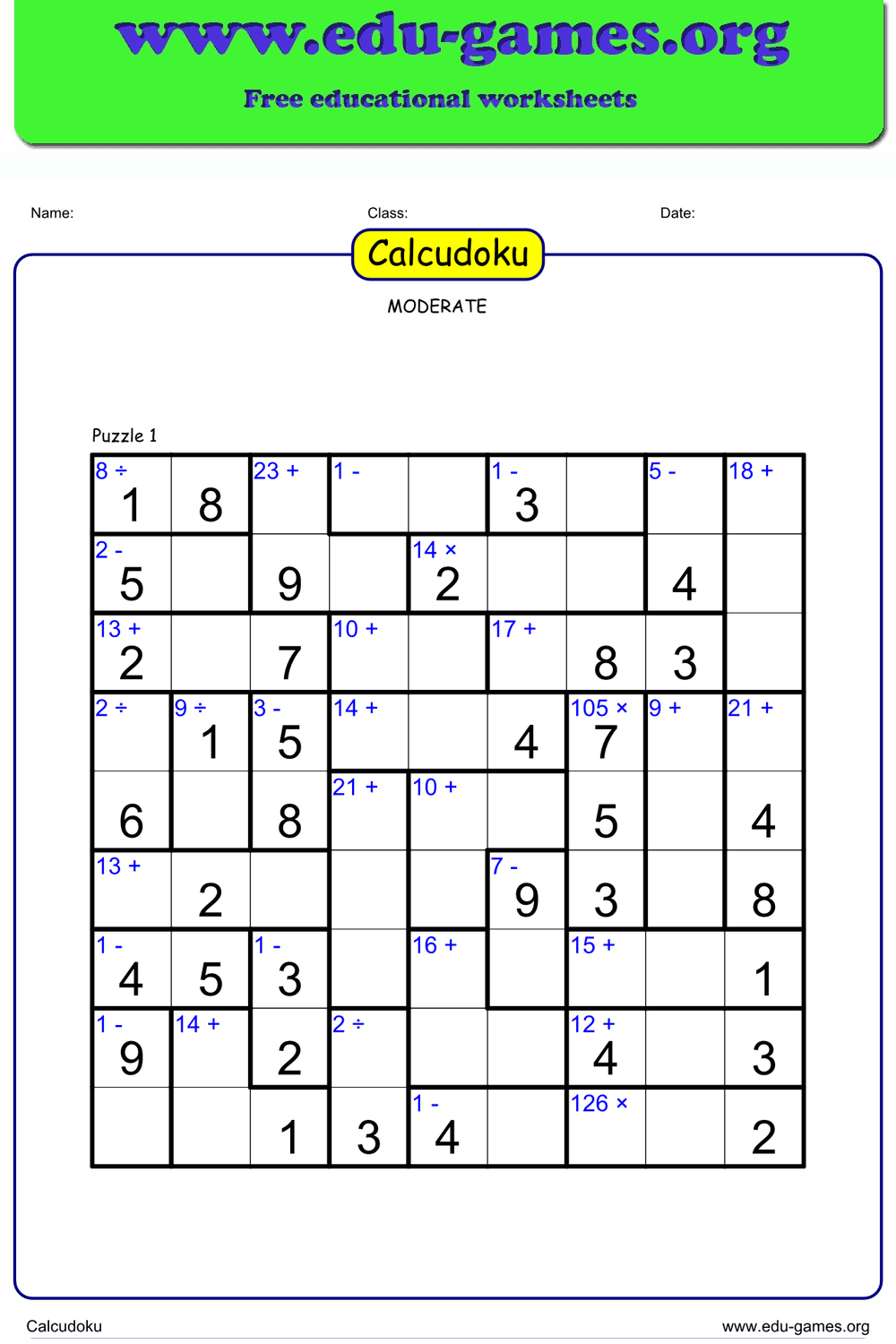
You Also Might Like:
- Classic 9×9 sudoku — same row/column/box rules, without the arithmetic cages. 5 difficulty levels, 4 puzzles per PDF.
- Adds sum clues printed along the borders of each 3×3 region — a different style of arithmetic-logic hybrid.
- Division clues between adjacent cells give extra constraints on top of the standard sudoku placement rules.
- Browse the full collection of free printable math worksheets, puzzle generators, and logic games for all grade levels.