Free Time Bingo Card Generator - Printable PDF
Create printable time bingo cards with analog clocks. Control the difficulty by choosing the time interval and which numbers appear on the clock face. Download a full set of unique cards as a PDF in seconds.
1.7M+ worksheets downloaded · Instant PDF download · No account required

Generate up to 50 unique printable time bingo cards in seconds — ready to hand out the same day. Pick your difficulty, choose a card size, and download a complete PDF with bingo cards and a caller's list. Perfect for Grade 1–3 classrooms.
Create your Time Bingo Cards
Most Popular Time and Bingo games
How to Use Free Printable Time Bingo Cards in the Classroom
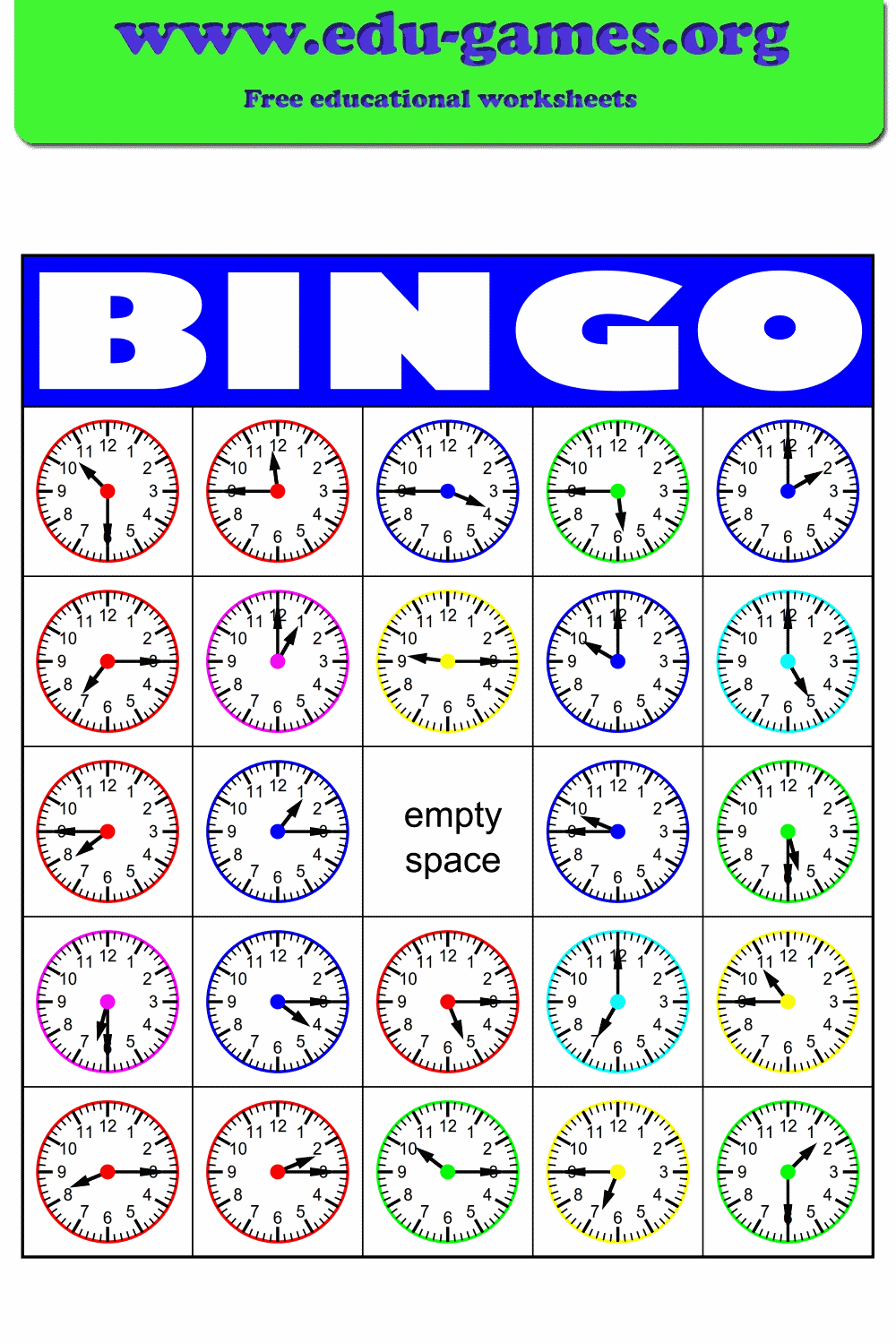
This generator creates free printable time bingo cards with analog clocks — a variation on the world famous Bingo game. Instead of numbers, each card shows clocks with random times. It is a fantastic game to practice telling time, and the adjustable difficulty means you can use these cards from grade 1 through grade 3.
The program will create bingo cards with 16 or 25 analog clocks, with random times. Control the clocks by choosing which numbers should be visible on the clock face, and the time interval: quarterly, 10, 5, or 1 minute. Select the number of cards you need for your class.
The first page of the PDF contains the times of the clocks on the bingo cards. There is a checkbox in front of each time — when you call out a time, you can tick the checkbox.
Why Use Bingo to Teach Telling Time?
Drilling clock-reading with telling time worksheets works — but it gets boring fast. Bingo turns the same repetition into a game, which changes how students experience the practice entirely.
When a time is called out, every student must read it, find it on their card, and decide whether to mark it — all within a few seconds. That pressure-free urgency is exactly the kind of low-stakes repetition that builds automaticity. Students process 20–30 times in a single game without feeling like they are doing drills.
The social element also matters. Students are watching their card, listening carefully, and competing — which keeps attention high for the full session. Unlike a worksheet, no student finishes early and switches off. For a quieter, pair-based alternative, time dominoes give the same repetition in a different format.
Skills Students Build with Time Bingo
Time Bingo is not just about recognising what a clock shows. A well-run game builds a cluster of connected skills:
- Distinguishing the hour and minute hand. Students must identify both hands correctly on every clock — the most fundamental skill and the most common source of errors.
- Connecting analog and verbal time. Hearing "quarter past three" and finding the matching clock face trains students to translate between formats fluently.
- Counting by 5s on the clock face. At 5-minute intervals, students learn to use the hour numbers as 5-minute markers — a key mental shortcut.
- Understanding "past" and "to". At shorter intervals, students begin to see whether the minute hand is in the "past" half or the "to" half of the clock.
- Processing speed. The game pace pushes students to read clocks quickly rather than counting tick marks one by one.
Common Mistakes Students Make with Analog Clocks
Understanding where students go wrong helps you use Time Bingo more deliberately. Watch for these during the game:
- Swapping the hour and minute hand. The most frequent error. Students read the long hand as the hour. Reinforce that the short, thick hand is always the hour hand — it has less distance to travel because it moves slowly.
- Reading the minute hand position as an hour. When the minute hand points to 6, students often call it "six o'clock." Remind them the minute hand position only tells minutes, never the hour.
- Ignoring where the hour hand actually is. At 3:30, the hour hand is halfway between 3 and 4 — not pointing directly at 3. Students who only look at the minute hand miss this.
- Rounding the hour incorrectly. At 6:45, some students say "6:45" while others say "quarter to seven." Both are correct, but students may not recognise the same time expressed two ways.
Bingo naturally exposes these errors because students self-check every time they mark or skip a square. Use a quick class discussion after the game to address the mistakes you observed, then follow up with a draw the hands worksheet to reinforce correct hand placement.
How to Scaffold Difficulty with the Settings
The generator gives you direct control over difficulty through two settings. Use them deliberately to match the game to your students' current level.
Time Interval
This is the most powerful difficulty lever:
- Quarterly (15 min) — easiest. Only four possible minute positions: 12, 3, 6, and 9. Perfect for Grade 1 students just beginning to read clocks.
- 10 minutes — easy. Six minute positions. Students count by tens, which connects to their number knowledge.
- 5 minutes — intermediate. Twelve positions. Students must use the hour numbers as 5-minute markers. Suitable for Grade 2.
- 1 minute — hardest. Any minute from 0–59 is possible. Students must count individual tick marks or use skip-counting strategies. Appropriate for Grade 3 and above.
Numbers on the Clock Face
- Every hour — all 12 numbers visible. Use this when introducing the tool or with younger students.
- Quarters — only 3, 6, 9, and 12 are shown. Adds a layer of challenge as students must estimate positions between the visible numbers.
- None — a blank clock face. The hardest setting. Students must know the position of every number from memory.
A good progression: start with quarterly intervals + every hour numbers, then move to 5 minutes + quarters, and eventually to 1 minute + none for your most advanced students. Once students can read any clock fluently, extend the challenge with time calculations.
FAQ for the Time Bingo Card Generator
How many bingo cards can I create at once?
The generator supports a maximum of 50 bingo cards per download. If you enter a number above 50, it is automatically reduced to 50 and you will see an error message.Does the 5×5 card include a free space?
Yes. The center square of every 5×5 card is automatically set as a "free space." The 4×4 card has no free spaces — all 16 squares contain a clock.What does the "quarters" clock number setting show?
The quarters setting displays only the numbers 3, 6, 9, and 12 on the clock face — the quarter-hour positions. Every hour shows all 12 numbers, making it the easiest to read. None removes all numbers, which is the most challenging setting.What does the first page of the downloaded PDF contain?
The first page is a caller's list: it shows every time that appears on the bingo cards, each with an empty checkbox. The teacher ticks off each time as it is called out, so no time is called twice.Share these free printable time bingo cards with your friends